

AutoFeed/Guides/Replace your website, keep your stock system
Replacing your dealership website without changing your stock system
A better buying experience, built around the stock workflow your team already knows.
A new website should respect the work the dealership already does to keep its stock current.
A better dealership website should make it easier for buyers to find a vehicle and contact your team.
If your inventory system works for the business, replacing the website does not necessarily require replacing that system. The new site can be built around an authorised connection to the records your team already maintains — improving the customer experience while retaining the stock workflow staff know.
01 Buying journey
Define what the new website should improve

Begin with the buying journey rather than a list of page types.
Can a phone user quickly narrow the stock to suitable vehicles? Does each vehicle page bring the photographs, price and specifications together? Can someone enquire without having to explain which car they were viewing?
Your dealership identity matters too. Buyers should understand where you are, what you specialise in and why they should speak to you.
Those decisions shape the design and scope. They also help distinguish a complete website project from a stock connection added to a site that otherwise works well.
Guide
If the current site still works, read adding live vehicle stock to your existing website.
02 Source
Confirm the stock connection before designing around it
The source determines which information the new site can use.
Before agreeing filters, specification tables or gallery layouts, review the actual records and access arrangements. Missing fields should not become empty promises in the design.
The same applies to stock categories. A business selling cars and motorbikes needs browsing and specification choices appropriate to each, rather than treating every record as the same kind of vehicle.
Where stock is maintained in DoneDeal Dealer Hub, AutoFeed can build around the authorised feed. Other providers need their own access and compatibility review.
The result is a website designed around usable inventory, with the update process included in the project.
Related
See how a DoneDeal car dealer website is built around Dealer Hub stock.
03 Workflow
Keep familiar work behind a better buying experience
Staff should know where to add a vehicle, change its price and remove it once sold.
If the stock system remains the agreed source, the new website should use that workflow instead of asking the team to maintain a second inventory.
The website can then present the same records in a way that better suits the dealership: a stock search, category listings, detailed vehicle pages and enquiries that carry the vehicle reference.

Franklin Motors
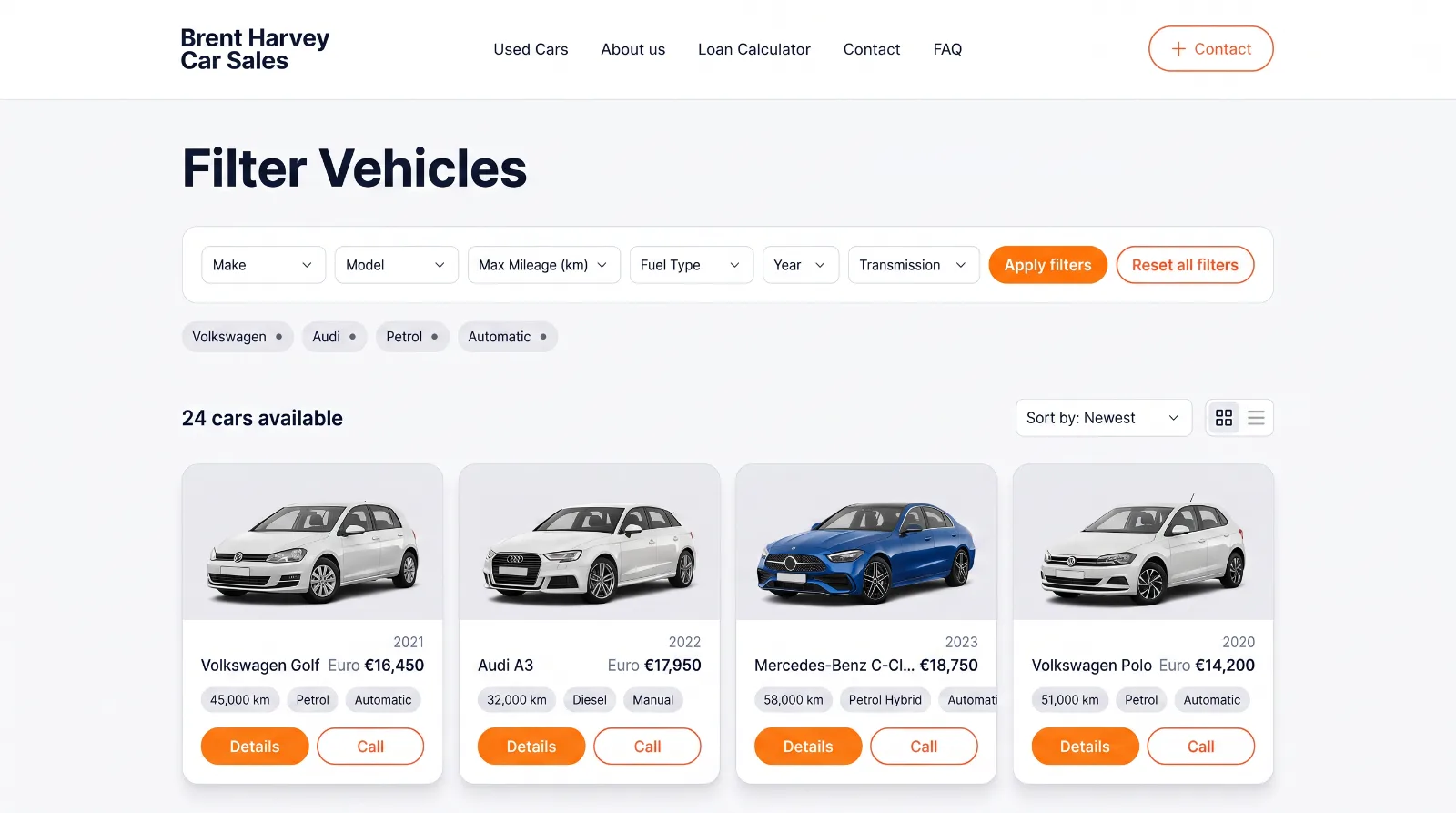
Brent Harvey Car Sales
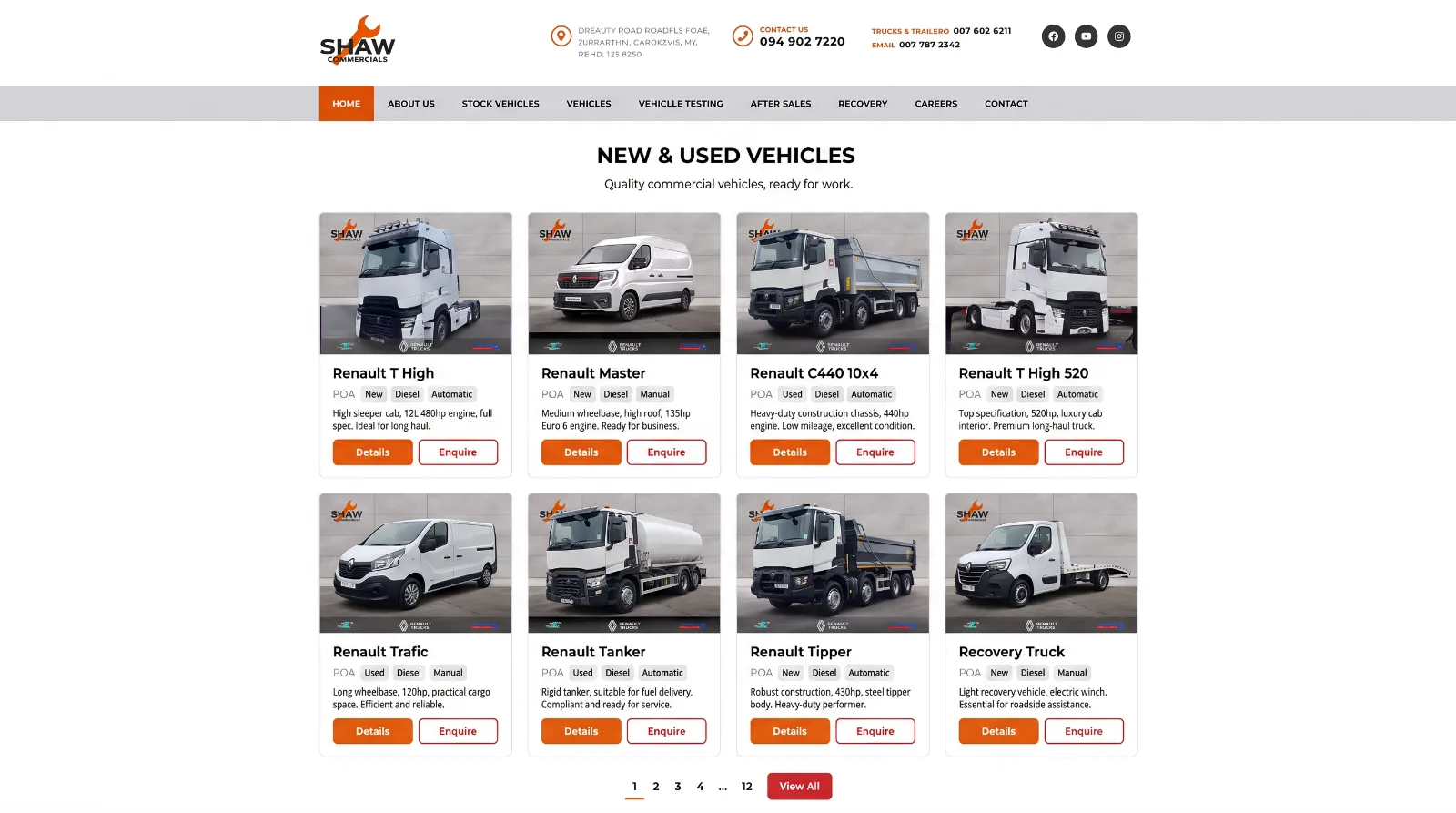
Shaw Commercials
Demo
The dealer website demo gives you a working browsing experience to inspect before discussing your own build.
04 Migration
Plan the change from old website to new website
A replacement needs a migration plan as well as a design.
Review which pages should be retained, rewritten or retired. Identify important existing URLs and plan appropriate redirects where their equivalents move. Confirm who controls the domain, who will host the new site and who will manage the launch.
Vehicle URLs deserve particular attention. Some old listings may still receive visits even after the vehicle has sold. The plan should define what those visitors see and how they can return to relevant available stock.
Keep the review focused on useful existing traffic and customer journeys. Redirects should lead to a relevant destination wherever one exists.
05 Launch
Check the complete enquiry journey before launch
A good vehicle page still needs a working route to the dealership.
Test an enquiry from the stock listing through to the person who receives it. Confirm that the vehicle reference is included and that delivery failures are visible.
Also check mobile navigation, photographs, filters and the way the site handles missing data. Stock changes, removals and temporary source failures should be part of the checks.
If the project includes finance applications, reservations, payments or other services, agree their scope and dependencies explicitly. Connecting inventory does not automatically provide those capabilities.
06 Budget
What affects the budget?
The stock source, design, content, migration and additional integrations all affect the work.
A clear proposal should identify what is included, what access is needed, any provider charges and the ongoing hosting and support arrangements. Timescales also depend on content, approvals and third-party access.
The useful comparison is between proposals that cover the same complete job. A homepage design and a delivered dealership website with connected stock are different scopes.
Related
See what is included in turnkey car sales websites.
07 Contact
Commission the website and stock connection together
Tell us what is limiting the current site, where you maintain the stock and what the new website needs to achieve. We can define the design, connection and migration as one project.
Service
Read more about car dealer websites built around live stock.