

AutoFeed/Guides/Add stock to an existing website
Can you add live vehicle stock to your existing dealership website?
Keep the website. Connect the stock you already maintain.
Your website may still represent the dealership well. The problem is the stock.
Someone has to upload vehicles twice, price changes do not always reach both places, or buyers have to leave your site to browse what you sell.
A stock connection can address that without replacing the entire website. The decision starts with two things: where you maintain your inventory and what your current website allows.
01 Source
Start with the stock you already maintain
If your team already enters photographs, specifications and prices into a stock system, those records should be the starting point for the website.
The connection needs an authorised way to retrieve them. That might be an API or a structured export, depending on the provider. Having access to a dealer account does not necessarily mean its stock can be republished anywhere, so access and permitted use need confirming first.
AutoFeed already connects authorised DoneDeal Dealer Hub stock to dealer websites. For another provider, we review the available connection before defining the work.
That review should establish what the source supplies, how each vehicle is identified and how changes or removals are communicated. A sample containing several representative vehicles is more useful than a list of promised fields.
Related
Already on DoneDeal? See how Dealer Hub integration brings authorised stock onto the dealership website.
02 Website
What does your current website need to support?

A useful integration needs somewhere for the inventory to appear and somewhere for each vehicle to be viewed.
Your website should be able to present a stock listing, relevant search filters and vehicle detail pages. Buyers need photographs, the advertised price, available specifications and a clear way to enquire about the vehicle they are viewing.
The platform determines how this is built. An existing WordPress website using Dealer Hub may be suited to the AutoFeed WordPress plugin. Other website platforms need a review of their data access and page-building options.
The important question is whether the connection can produce a coherent buying journey within your site. Buyers should be able to move from finding a vehicle to understanding it and contacting your dealership.
03 Design
Keep the design that works; improve the stock experience
Adding a feed does not have to mean making your website look like the stock provider.
Vehicle cards, galleries and detail pages can follow your dealership’s design. A prestige dealer, used-car forecourt and commercial vehicle business may use similar underlying records while needing very different presentations.
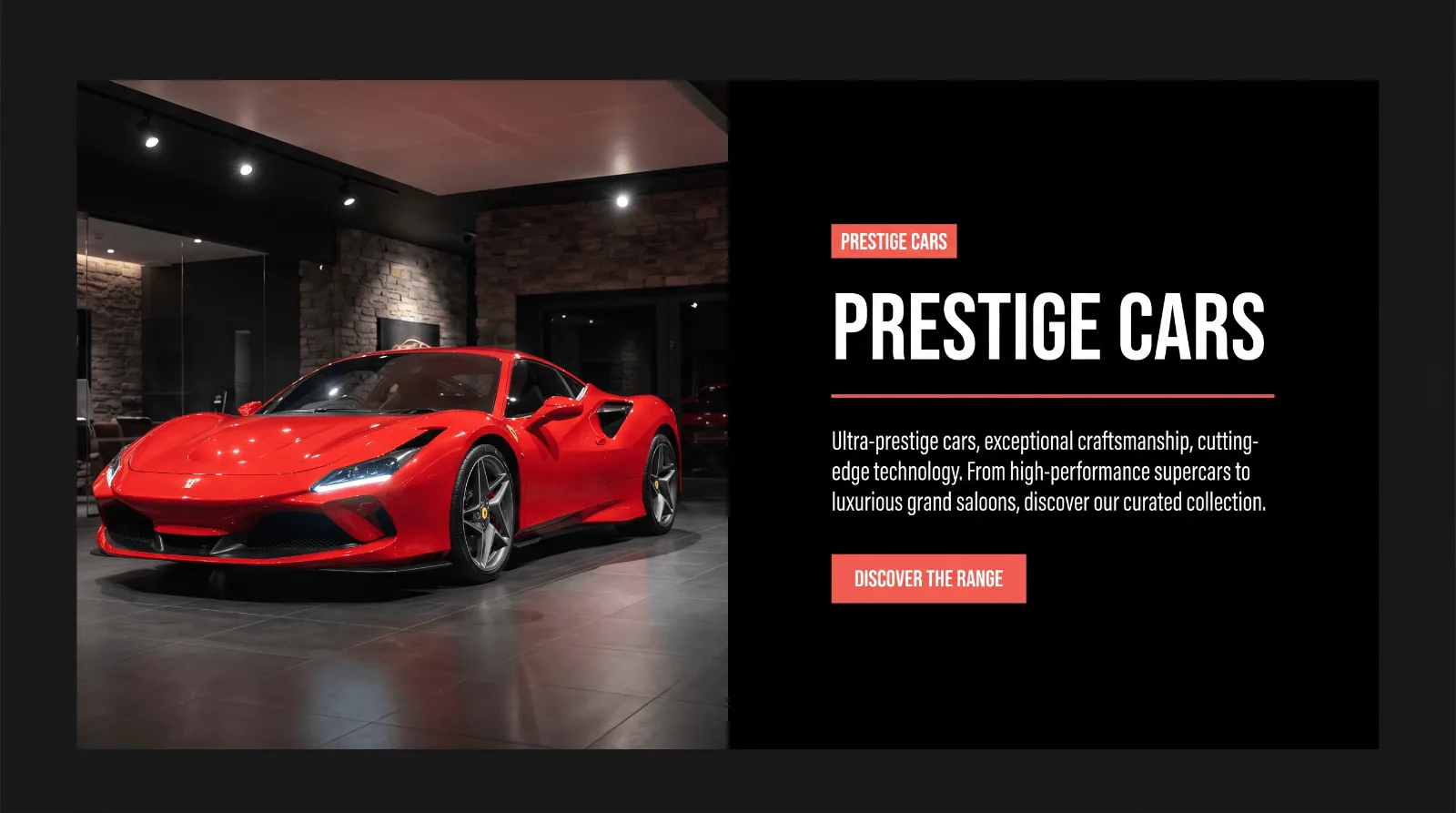
Franklin Motors
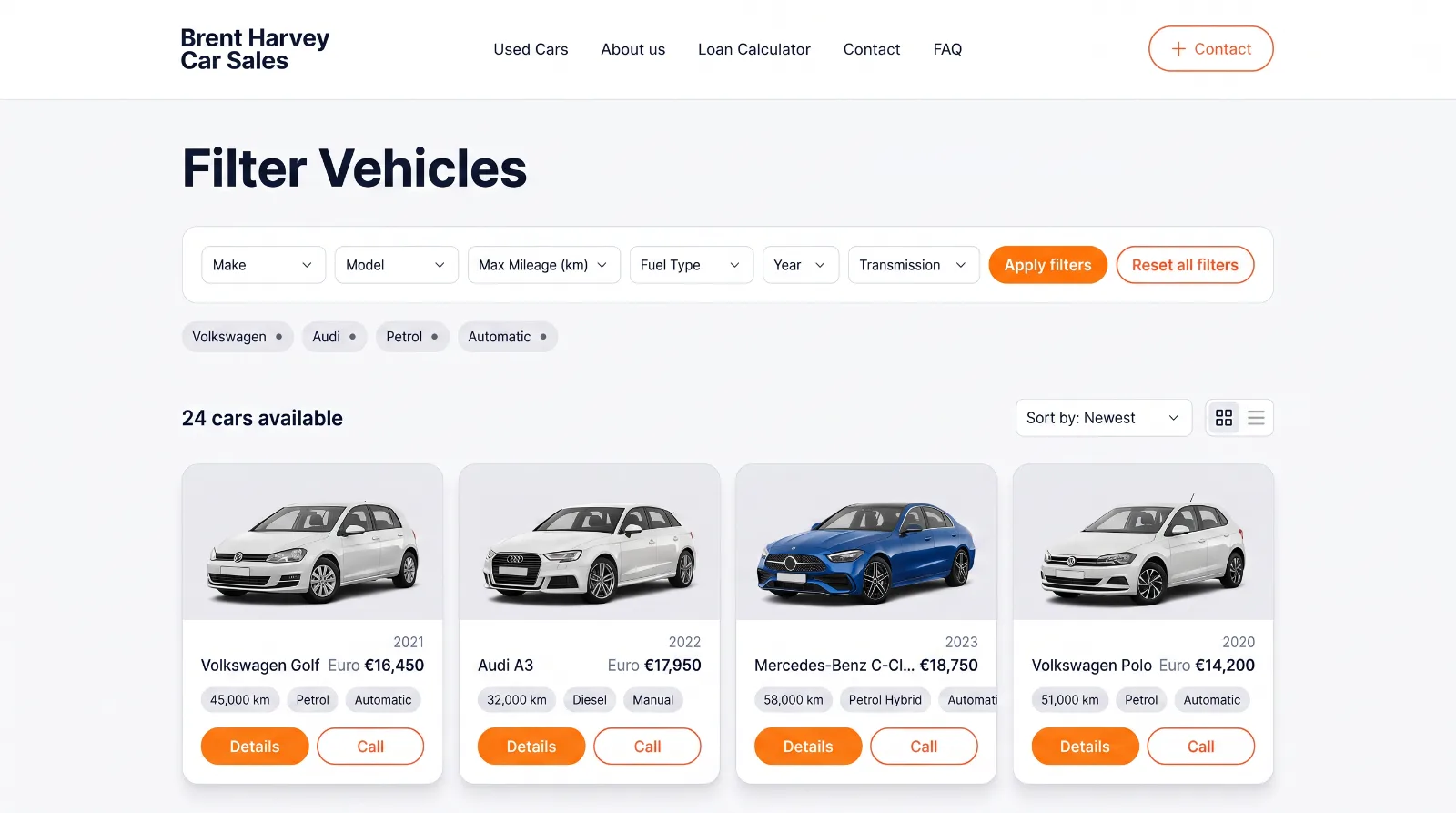
Brent Harvey Car Sales
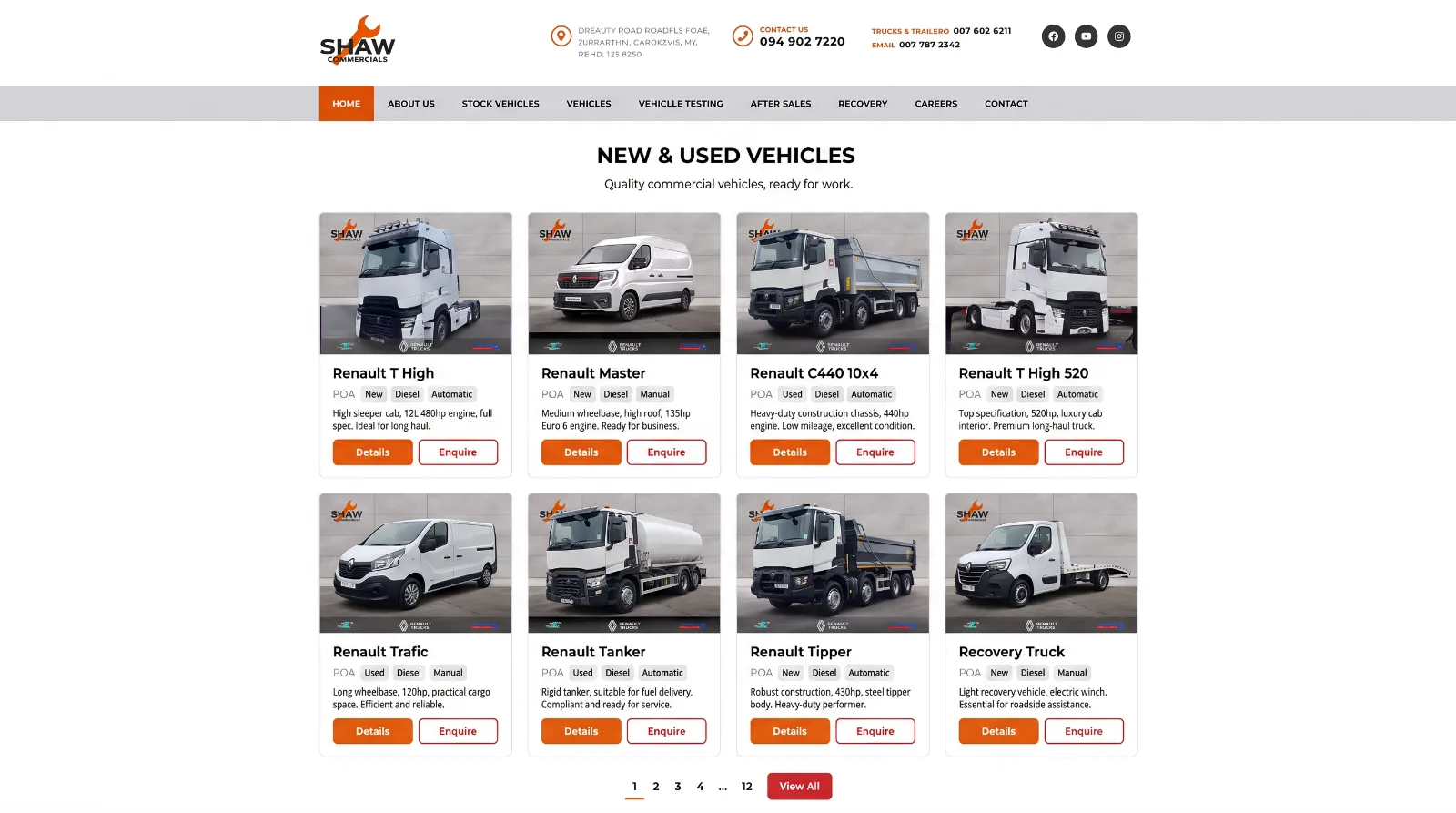
Shaw Commercials
The feed supplies the information. The website determines how buyers use it.
Demo
Explore the working dealer website demo, where North Road Motor Company is a fictional dealership displaying live Dealer Hub inventory.
04 Updates
Agree what happens when stock changes
New vehicles are only one part of the connection.
Price changes, revised photographs and sold vehicles also need an agreed update process. How quickly those changes appear depends on the source and the integration. “Automatic” should describe a defined process, with a known update frequency.
Removed vehicles need deliberate handling too. They should leave the available-stock results, while an old link should lead to an appropriate page or response rather than misleading a buyer into enquiring about an available car.
A temporary feed failure is a different situation from an empty forecourt. The website needs to distinguish them so an outage does not accidentally make the dealership appear to have no stock.
05 Decision
When is keeping the website the right decision?
Keeping the site makes sense when its design, content and navigation still serve the business, and the platform can support a good stock experience.
A replacement becomes worth considering when the problems are broader: difficult mobile browsing, weak vehicle pages, confusing enquiries or a platform that restricts the changes you need.
You do not need to decide that before speaking to us. We can review the existing site and stock source, then identify whether a focused integration or a wider rebuild makes better use of the investment.
Guide
If the wider site is the problem, read replacing your dealership website without changing your stock system.
06 Contact
Find out what your existing site can support
Send your website address, the platform it uses if known, and the system where your vehicles are maintained. We will review the connection, the stock presentation and the update requirements, then define the work needed.
Service
Read more about vehicle stock integration.